 Airwaily









































100 MB
7 Days / 1 Week80% offNicaragua eSIM
Buy a cheap, reliable Nicaragua eSIM with data plans from 100 MB to 50 GB.
Plans from$0.22$1.0980% off
100 MB 7 Days / 1 Week
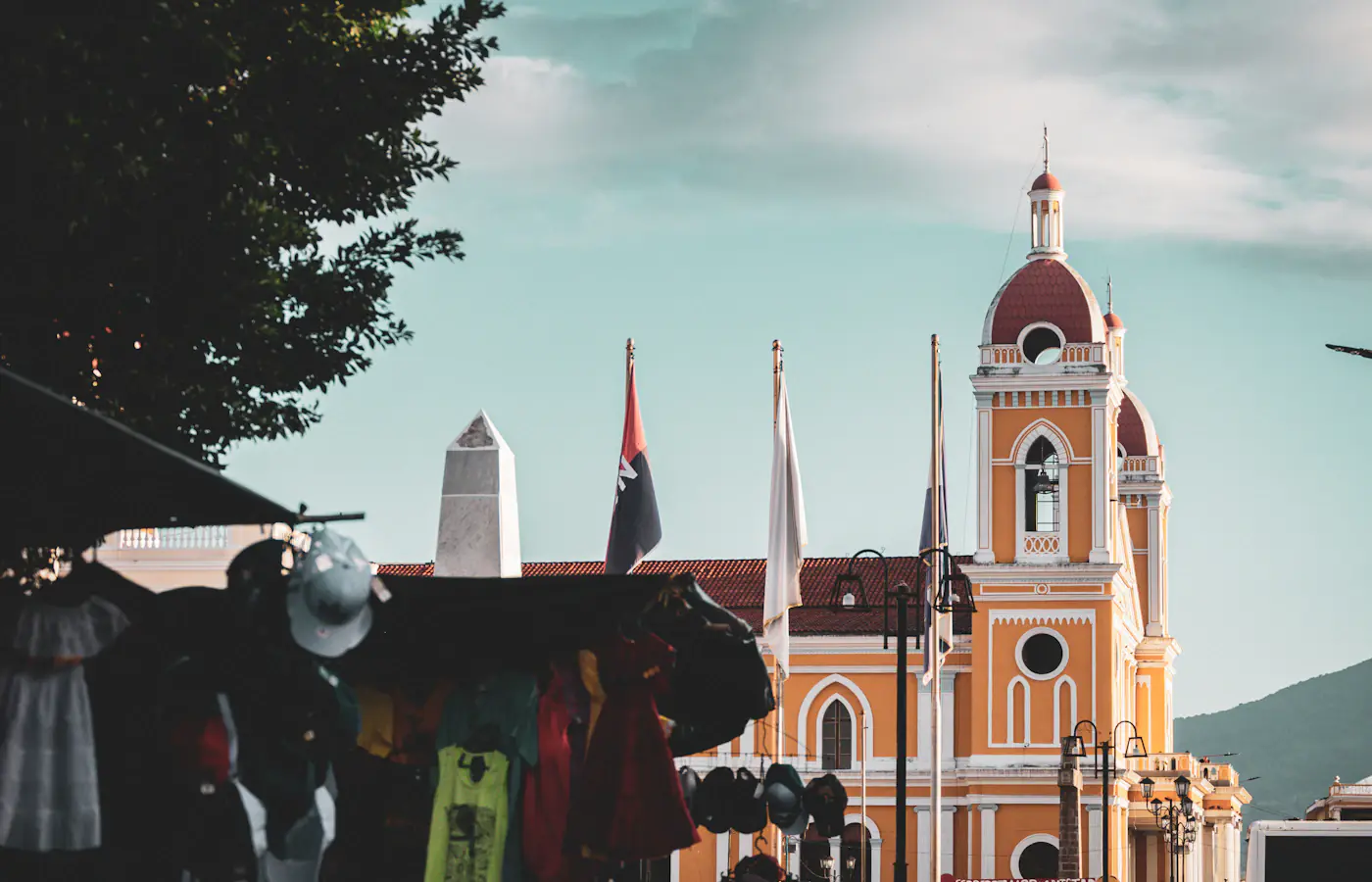 Granada, Nicaragua
- Fast 4G/5G
- One-click Activation
- Hotspot Sharing
- 24/7 Support
Choose your plan
7 Days / 1 Week(2 plans)
1 GB
7 Days / 1 Week$1.28$1.28/GB30 Days / 1 Month(7 plans)
15 days(1 plan)
60 Days / 2 Months(1 plan)
90 Days / 3 Months(1 plan)
Tech specs
| Specification | Details |
|---|---|
| Country coverage | Nicaragua only. |
| Local networks | Claro |
| Network technology | Connects to 4G/LTE where available. 5G is not confirmed on this plan. Networks and technology vary by plan. |
| Data & validity | Fixed total data. No daily reset. |
| Available data allowances | 100 MB, 1 GB, 2 GB, 3 GB, 4 GB, 5 GB, 10 GB, 20 GB, 30 GB, and 50 GB |
| Available durations | 7 Days (1 Week), 15 days, 30 Days (1 Month), 60 Days (2 Months), and 90 Days (3 Months) |
| Calls & SMS | Use internet messaging and calling apps. |
| Hotspot | The listed networks support hotspot. Any device you connect draws from the same data allowance. |
| Your phone | An eSIM-compatible, network-unlocked phone is required. |
How it works
Pick a plan, add the eSIM to your phone, then connect once you're in Nicaragua.
 01
Choose your plan
Check phone compatibility and carrier lock; choose a plan by allowance and validity.
 02
Follow the installation instructions
Install over Wi-Fi. Check when validity starts before installing.
 03
Connect in Nicaragua
Select the eSIM for mobile data and follow its setup instructions.
Frequently asked questions.
Answers to common setup and buying questions.
Which Nicaragua eSIM plan should I choose?
Check our plan's data allowance, validity, activation and local networks before you buy. Save essential maps and bookings offline.
When does the plan start?
Validity begins: First Installation / First Network Connection.
Which networks are included?
Networks vary by plan. Reception and speeds depend on location, network conditions and your device.
Can I use a hotspot?
Check hotspot support on each plan. Connected devices share the allowance.
Does the data reset every day?
Fixed total data. No daily reset.
Can I use this package in another country?
Nicaragua only.
What phone do I need?
An eSIM-compatible, network-unlocked phone is required.
What should I check if mobile data is not working?
Check coverage, remaining data and validity. Follow the supplied roaming and APN instructions. Keep the eSIM installed when contacting support.
Which apps can I use with the Nicaragua eSIM, and how fast will they work?
The Nicaragua eSIM is designed to deliver high-speed internet access for all apps from around the world, including the following 50 apps:
WhatsApp, Google Maps, Instagram, TikTok, YouTube, iMessage, FaceTime, Uber, Spotify, Google Translate, Booking.com, Airbnb, Revolut, Gmail, ChatGPT, Facebook, Messenger, Snapchat, Telegram, Netflix, Apple Maps, Bolt, Grab, Wise, PayPal, Waze, Citymapper, Tripadvisor, GetYourGuide, Klook, Skyscanner, Expedia, Agoda, Trip.com, Trainline, Omio, Uber Eats, Google Lens, Apple Music, YouTube Music, Disney+, Discord, Reddit, X, Signal, Zoom, Microsoft Teams, Slack, Microsoft Outlook, and Google Photos.
Using your eSIM in Nicaragua
Mobile data in Nicaragua
A Managua landing, a few nights in Granada and the ferry to Ometepe each use data differently. A virtual sim card on an unlocked, eSIM-compatible phone keeps your bookings and messages reachable, if you're touring alone or visiting family, without hunting for a local SIM.
Check our plan's data allowance, validity, activation and local networks before you buy. Save essential maps and bookings offline.
Check the network for your plan.
Networks vary by plan. Reception and speeds depend on location, network conditions and your device.

Save the important details.Granada, Nicaragua
Managua: sort the first address before you land.
Augusto C. Sandino International Airport is where many visitors land. The airport operator EAAI posts arriving and departing flights and lists services such as car rental, so check your flight details before confirming a pickup.
If you're heading straight to Granada, tell the driver which hotel entrance you want before leaving the terminal. A saved reservation and an address pin beat reopening several booking emails mid-ride.
Save before you goFlight number, pickup arrangement, hotel address and booking reference.
Granada: keep the city meeting point apart from the boat departure.
Parque Central and the cathedral are easy landmarks for getting your bearings in Granada. Pin your accommodation before walking the historic centre, and agree on an exact spot in case your group splits up near the square.
For a boat trip to the islets on Lake Cocibolca, confirm the real departure point with your operator. The city-centre meeting spot can differ from where the boat leaves, so save both pins and the return plan.
The national tourism guide also lists Mombacho as a nearby outing. Before a trail day, pull up your booking and confirm the meeting time while you still have a connection in town.
Save before you goThe hotel pin, boat meeting details and agreed return time.
Ometepe: verify which arrival your host is expecting.
The official tourism guide describes the ferry from San Jorge to Ometepe. Confirm the current sailing, arrival port and any vehicle arrangement with the operator instead of relying on an old timetable screenshot.
Send your host the sailing you plan to take, then save onward directions before boarding. The island has two volcanic areas, Concepción and Maderas, so a single island-wide pin isn't enough for a pickup.
For a guided walk, keep the guide contact and meeting point saved offline. More data won't fix a weak signal on the trail, and a live map on your phone shouldn't be your only way back.
Save before you goConfirmed ferry details, arrival port, lodge directions and guide contact.
Choose your Nicaragua plan
Compare data amounts and durations to find the plan that fits your trip.
 Choose a plan
